
A 750W UPS Won't Protect Against Lightning: A Power Strip Will
A 750W UPS only covers power outages, not surges that fry power supplies. Learn real battery life and which power strip truly protects.
English · Original discussion in Spanish · Published
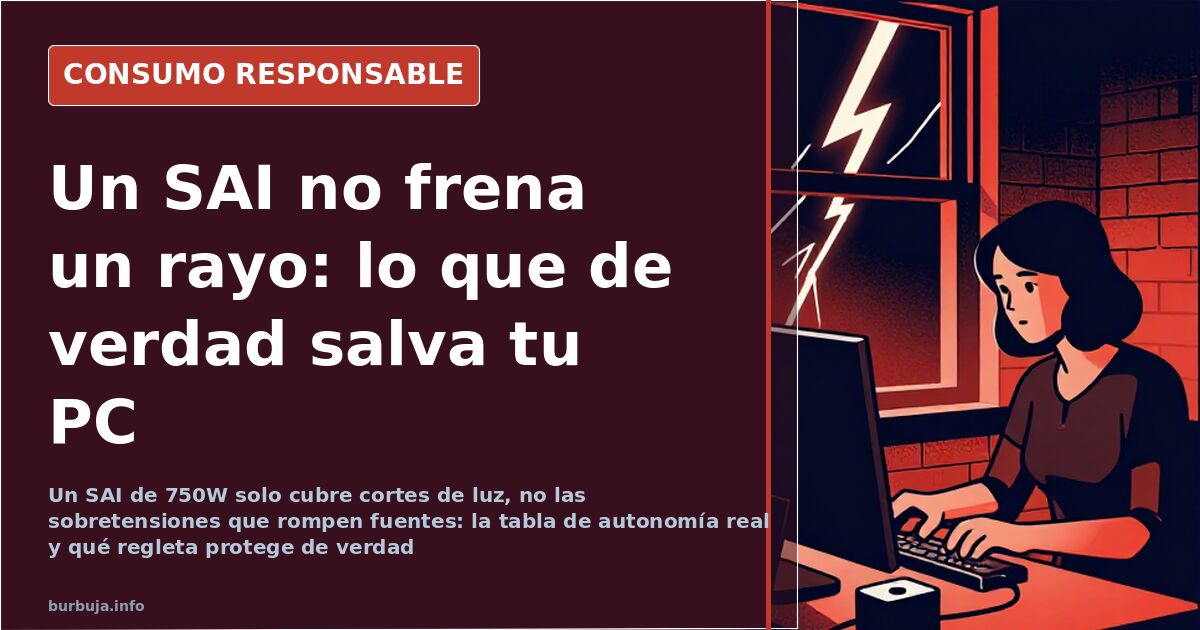
A UPS Doesn't Stop Lightning: For a 750W PC, the Power Strip Matters
The question is a textbook one: a UPS is needed for a 750W power supply, and the asker admits upfront they're new to this. The answer emerging from collective advice, after more than a year of messages, is uncomfortable. They probably don't need what they think they do. A UPS does one thing well – keeping equipment alive when the grid disappears – and none of the things most people attribute to it. The nuance is significant: some argue that a device covering only half the problem is being sold as a total shield, pointing to a real issue of domestic installations where electrical failures pile up without anyone knowing why.
What Does a UPS Really Protect?
A Uninterruptible Power Supply keeps the computer on during an outage and allows time to shut it down. That's it, and nothing more. Against a voltage surge – the kind that accompanies lightning or a power grid reconnection after a blackout – the battery is irrelevant: the spike gets through just the same and looks for something to fry. This distinction isn't a lab technicality.
Electrical equipment doesn't get damaged by the absence of current; it gets damaged by excess. The UPS protects against outages. The power strip with surge protectors protects against spikes. Confusing them is costly. And the line between a breakdown and a scare often depends on which of the two problems is being addressed.
How Much Does a PC with a 750W Power Supply Really Consume
The label lies upwards. A system with a 650W power supply, in a specific case, doesn't even reach 250W at its peak demand. This reorders the entire calculation, because the UPS is sized by consumption, not by what the box advertises. Autonomy is calculated by dividing watt-hours of battery by watts of consumption. With 150 Wh useful capacity as a reference, the math looks like this:
The full breakdown, section by section, shows why oversizing the UPS doesn't always buy more minutes. And why an average home computer doesn't need the monster that many imagine when reading the power supply label.
The "Fiber" Cable That Conducts Electricity
A case illustrated the problem better than any manual. During a storm, a cable running along the building wall – one of those carrying the connection to the router, sold as fiber – conducted a discharge to the metal adapter, which blew with a flash. The technical explanation: it wasn't fiber, it was cable, and cable conducts. The lightning didn't need to enter through the power line; it entered through the data network.
The cost of a fried power supply in a desktop computer was accounted for at 220 euros. Hence the operational conclusion, which many overlook: the data line also needs protection, not just the electrical line. And those who only contract for estimulante ilegal often don't know what type of cable reaches their living room.
Power Strips with Surge Protectors: The Protection That Actually Works
Here, the agreement is widespread. A power strip with real protection has surge protectors (varistors), not just a resettable fuse with a little light, which is what many catalog "protections" have. Ideally, three: between phase and neutral, between phase and ground, and between neutral and ground, because you never know where the spike is coming from. Surge protectors, moreover, wear out. They protect once, twice, and then die silently; they need to be tested and replaced periodically. Without a ground connection in the building, half the protection is lost. Something more common than it seems in old installations.
Another approach gains weight: power strips that integrate delayed protection and voltage regulation, common in countries with unstable grids like Argentina, are scarce here or cost a fortune for what they are. For those who rent or spend time in a country house, with a portable air conditioner or a refrigerator, they can get out of a bind. Modifying the main electrical panel is cheaper in the long run than accumulating individual devices.
New, Used UPS, or Power Station
The options vary. A portable power station like Bluetti is considered an alternative, although 1 kWh models cost around 600 euros, well above a basic UPS. Another trend favors the second-hand market: an old UPS with a newly replaced 12V 7Ah battery – costing between 25 and 30 euros – is cheaper than a new one.
These batteries run out quickly, precisely because no one turns off the device at the end of the day or replaces them. Among the brands mentioned, Salicru and Phasak get the most mentions, with an advantage for the latter. The underlying requirement doesn't change: protect the UPS first, then the PC. No one agrees on the optimal spending, and the disagreement continues.
The Point Where the Calculation Gets Stuck
With the numbers on the table, sensible spending doesn't go where it seems. The UPS saves against abrupt shutdowns; the surge protector saves the motherboard. And in this division of tasks, the analysis gets stuck: how much is it worth spending on a device that does half the job that almost everyone assumes it does.
The question is a textbook one: a UPS is needed for a 750W power supply, and the asker admits upfront they're new to this. The answer emerging from collective advice, after more than a year of messages, is uncomfortable. They probably don't need what they think they do. A UPS does one thing well – keeping equipment alive when the grid disappears – and none of the things most people attribute to it. The nuance is significant: some argue that a device covering only half the problem is being sold as a total shield, pointing to a real issue of domestic installations where electrical failures pile up without anyone knowing why.
What Does a UPS Really Protect?
A Uninterruptible Power Supply keeps the computer on during an outage and allows time to shut it down. That's it, and nothing more. Against a voltage surge – the kind that accompanies lightning or a power grid reconnection after a blackout – the battery is irrelevant: the spike gets through just the same and looks for something to fry. This distinction isn't a lab technicality.
Electrical equipment doesn't get damaged by the absence of current; it gets damaged by excess. The UPS protects against outages. The power strip with surge protectors protects against spikes. Confusing them is costly. And the line between a breakdown and a scare often depends on which of the two problems is being addressed.
How Much Does a PC with a 750W Power Supply Really Consume
The label lies upwards. A system with a 650W power supply, in a specific case, doesn't even reach 250W at its peak demand. This reorders the entire calculation, because the UPS is sized by consumption, not by what the box advertises. Autonomy is calculated by dividing watt-hours of battery by watts of consumption. With 150 Wh useful capacity as a reference, the math looks like this:
- 150 W demand → 60 minutes
- 200 W → 45 minutes
- 250 W → 36 minutes
- 300 W → 30 minutes
- 400 W → 22.5 minutes
The full breakdown, section by section, shows why oversizing the UPS doesn't always buy more minutes. And why an average home computer doesn't need the monster that many imagine when reading the power supply label.
The "Fiber" Cable That Conducts Electricity
A case illustrated the problem better than any manual. During a storm, a cable running along the building wall – one of those carrying the connection to the router, sold as fiber – conducted a discharge to the metal adapter, which blew with a flash. The technical explanation: it wasn't fiber, it was cable, and cable conducts. The lightning didn't need to enter through the power line; it entered through the data network.
The cost of a fried power supply in a desktop computer was accounted for at 220 euros. Hence the operational conclusion, which many overlook: the data line also needs protection, not just the electrical line. And those who only contract for estimulante ilegal often don't know what type of cable reaches their living room.
Power Strips with Surge Protectors: The Protection That Actually Works
Here, the agreement is widespread. A power strip with real protection has surge protectors (varistors), not just a resettable fuse with a little light, which is what many catalog "protections" have. Ideally, three: between phase and neutral, between phase and ground, and between neutral and ground, because you never know where the spike is coming from. Surge protectors, moreover, wear out. They protect once, twice, and then die silently; they need to be tested and replaced periodically. Without a ground connection in the building, half the protection is lost. Something more common than it seems in old installations.
Another approach gains weight: power strips that integrate delayed protection and voltage regulation, common in countries with unstable grids like Argentina, are scarce here or cost a fortune for what they are. For those who rent or spend time in a country house, with a portable air conditioner or a refrigerator, they can get out of a bind. Modifying the main electrical panel is cheaper in the long run than accumulating individual devices.
New, Used UPS, or Power Station
The options vary. A portable power station like Bluetti is considered an alternative, although 1 kWh models cost around 600 euros, well above a basic UPS. Another trend favors the second-hand market: an old UPS with a newly replaced 12V 7Ah battery – costing between 25 and 30 euros – is cheaper than a new one.
These batteries run out quickly, precisely because no one turns off the device at the end of the day or replaces them. Among the brands mentioned, Salicru and Phasak get the most mentions, with an advantage for the latter. The underlying requirement doesn't change: protect the UPS first, then the PC. No one agrees on the optimal spending, and the disagreement continues.
The Point Where the Calculation Gets Stuck
With the numbers on the table, sensible spending doesn't go where it seems. The UPS saves against abrupt shutdowns; the surge protector saves the motherboard. And in this division of tasks, the analysis gets stuck: how much is it worth spending on a device that does half the job that almost everyone assumes it does.
Summary of a discussion on Burbuja.info - Foro de economía, actualidad y política., translated from Spanish and reviewed before publication. Read the full discussion (201 replies).
More summaries
-
The four breakfasts no Spanish bar serves
Oats, wholemeal bread, hummus and peanut butter: four foods Spanish bars don't serve, against the tradition of toast and Spanish tortilla.
-
Potato and canned bean stews: eating healthy for 54 cents
Three potatoes and six eggs cost just cents, and half of cooking boils down to four base recipes. Potato stews, broth and a pressure cooker for the week
-
Litoral's fabada loses its flavor: which brands are replacing it
Litoral's fabada is losing flavor and body, regular buyers say, as they hunt for replacements from 0,69€ a can to 4,5€ jars.
-
Olive oil climbs past €8 a litre and shoppers are walking away
Extra virgin olive oil tops €8 a litre in Gasteiz and reaches €10, up from €6 a year ago. More and more shoppers are taking it off their lists
-
A Land Rover and 20.000 euros in repairs in just four years
Mireia has spent about 20.000 euros on repairs to her Land Rover, with only 173.000 km in four years, including timing chain, turbo, gearbox and driveshaft
-
Razor blades: expensive cartridges vs. cheap double-edge
A 100-pack of double-edge blades costs €9–12 and gives five shaves per blade; the expensive cartridge is done after five uses.