
Canon B200 error: the fault that condemns your printer
The Canon B200 error locks the printer and the official repair costs almost as much as a new one. Suspicions of planned obsolescence surround the case.
English · Original discussion in Spanish · Published
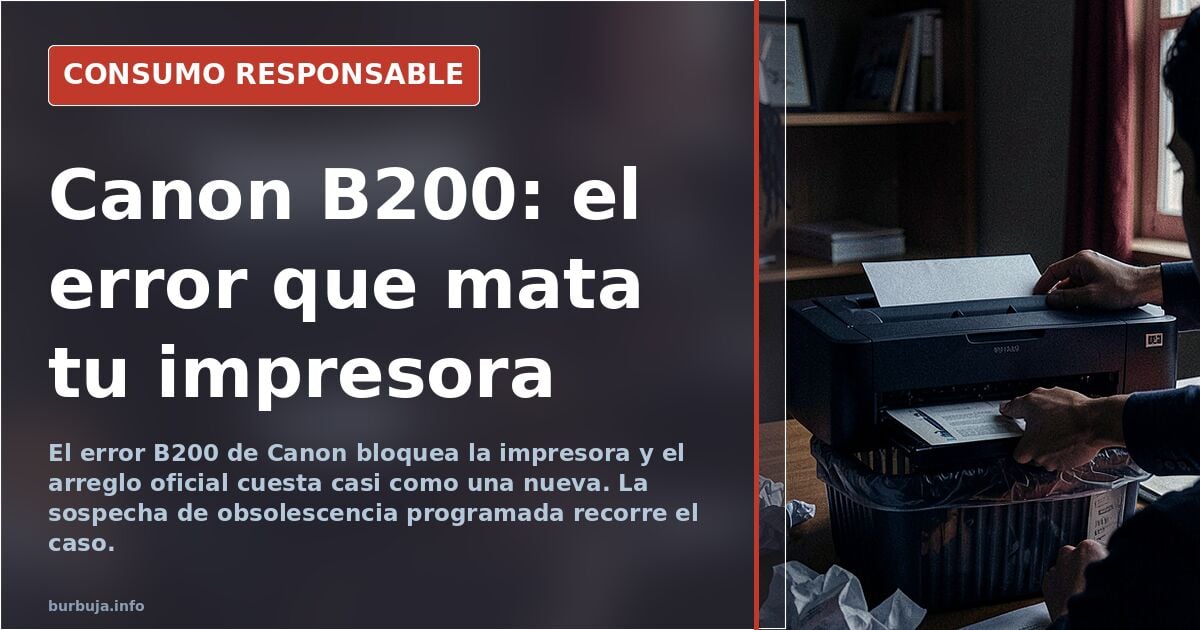
Canon B200 error: when the printer declares itself dead
It appears on the screen without warning. "Printer error. Unplug the power cable and contact the service center." It's the B200 code, and from that moment the Canon stops printing and the ordeal begins: cleaning print heads, checking contacts, switching off, waiting, switching on. Nothing. The suspicion running through the whole affair is uncomfortable: it's not a breakdown, it's a programmed end. And that end is called buying another one.
What the B200 error means and why it appears
B200 is not a generic message. It points to a failure in communication with the print head, the component that is built into many Canon models and which, when it fails, drags the whole machine down with it. The official message offers no nuance: switch off and call technical support. The bill for that call usually comes close to the price of a new device, and that's where the calculation nobody wants to say out loud begins.
The label of planned obsolescence soon enters the conversation. There is no court ruling or expert report to back it up in this case, but the pattern —a specific error, expensive technical service, a device that gets replaced— fits the suspicion far too well. The printer doesn't break from use: it breaks by design, or so the argument goes.
The circulating fixes and why they almost never work
The repertoire of home remedies is broad. Disconnect the power and wait an hour. Inspect and clean the contact pins of the carriage unit, where the print head is installed. Check the connection of the carriage's FFC cable. Switch off, open the panel, switch on and close the lid before the carriage reaches the left. Push the print head mechanism to the center with the printer open and reconnect it.
These are steps that sound like workshop advice and, at best, buy you a reprieve. The other suggested route is more prosaic: check the cartridges. A cartridge making poor contact can trigger a similar error, and trying a new one —no need for it to be original— is cheaper than any diagnosis. When that doesn't work, the diagnosis becomes a death sentence.
The real cost: repair or toss
Here lies the crux. Official technical service charges for the inspection, for parts and for labor. Added up, the quote eats up the residual value of a home-grade printer. The decision most people make is not technical, it's arithmetic: it's not worth it. And that is precisely the conclusion the product's design seems to be after.
The practical consequence is a forced purchase. The user facing B200 doesn't choose to change printers on a whim: they choose because the repair costs more than the replacement. The most common response to the problem is the same as with any appliance trapped in this logic: the next one won't be the same brand.
What to do when B200 appears
Before writing the printer off, it's worth exhausting the cheap options: check the cartridges, clean the contacts, try the restarts described above. If the error persists, the technical service quote is the definitive test. And if the figure exceeds the price of a new device, the decision has already been made.
The question left hanging is not a technical one: how many more printers will die with this same code before someone calls it by its name?
It appears on the screen without warning. "Printer error. Unplug the power cable and contact the service center." It's the B200 code, and from that moment the Canon stops printing and the ordeal begins: cleaning print heads, checking contacts, switching off, waiting, switching on. Nothing. The suspicion running through the whole affair is uncomfortable: it's not a breakdown, it's a programmed end. And that end is called buying another one.
What the B200 error means and why it appears
B200 is not a generic message. It points to a failure in communication with the print head, the component that is built into many Canon models and which, when it fails, drags the whole machine down with it. The official message offers no nuance: switch off and call technical support. The bill for that call usually comes close to the price of a new device, and that's where the calculation nobody wants to say out loud begins.
The label of planned obsolescence soon enters the conversation. There is no court ruling or expert report to back it up in this case, but the pattern —a specific error, expensive technical service, a device that gets replaced— fits the suspicion far too well. The printer doesn't break from use: it breaks by design, or so the argument goes.
The circulating fixes and why they almost never work
The repertoire of home remedies is broad. Disconnect the power and wait an hour. Inspect and clean the contact pins of the carriage unit, where the print head is installed. Check the connection of the carriage's FFC cable. Switch off, open the panel, switch on and close the lid before the carriage reaches the left. Push the print head mechanism to the center with the printer open and reconnect it.
These are steps that sound like workshop advice and, at best, buy you a reprieve. The other suggested route is more prosaic: check the cartridges. A cartridge making poor contact can trigger a similar error, and trying a new one —no need for it to be original— is cheaper than any diagnosis. When that doesn't work, the diagnosis becomes a death sentence.
The real cost: repair or toss
Here lies the crux. Official technical service charges for the inspection, for parts and for labor. Added up, the quote eats up the residual value of a home-grade printer. The decision most people make is not technical, it's arithmetic: it's not worth it. And that is precisely the conclusion the product's design seems to be after.
The practical consequence is a forced purchase. The user facing B200 doesn't choose to change printers on a whim: they choose because the repair costs more than the replacement. The most common response to the problem is the same as with any appliance trapped in this logic: the next one won't be the same brand.
What to do when B200 appears
Before writing the printer off, it's worth exhausting the cheap options: check the cartridges, clean the contacts, try the restarts described above. If the error persists, the technical service quote is the definitive test. And if the figure exceeds the price of a new device, the decision has already been made.
The question left hanging is not a technical one: how many more printers will die with this same code before someone calls it by its name?
Also available in: Deutsch
Summary of a discussion on Burbuja.info - Foro de economía, actualidad y política., translated from Spanish and reviewed before publication. Read the full discussion (2 replies).
More summaries
-
Carrefour ends double refund for pricing errors
Carrefour no longer refunds double the difference for overcharges, limiting compensation to the simple amount as per new store policies.
-
O2: Complaints Pattern Reveals Service Crisis
Five days offline, fraudulent portabilities and missing discounts highlight O2's customer service failures in Spain's low-cost market.
-
Removing a partition wall and floor vibration: the mistake that costs you your health
Removing an interior partition can alter the stiffness of the floor slab and amplify vibrations from the neighbour's footsteps. A technical diagnosis and the possible fixes.
-
Restora de Montó and other paints: which brands are worth it
Pinturas Montó's Restora Professional Premium costs 14 euros for a 4-litre can and no one confirms its quality, compared to Juno, Bruguer or Valentine.
-
LED spotlights: €3 fixtures vs €17 fixtures
LED spotlights for a 10 m² room: how many to install, whether to remove the transformer, and why some cost €3 and others €17, according to participants in the debate.
-
Chronic heartburn: from omeprazole to licorice root
A consumer has suffered heartburn and gas for five years, and omeprazole only brings temporary relief. Licorice root, Helicobacter and hiatal hernia are the focus of the discussion.