
Electrical Surge Destroys PC Motherboard, RAM, and Graphics Card
An electrical surge fried a PC's motherboard, 16GB RAM, and graphics card, leaving only the CPU and hard drive intact. Troubleshooting revealed component failures.
English · Original discussion in Spanish · Published
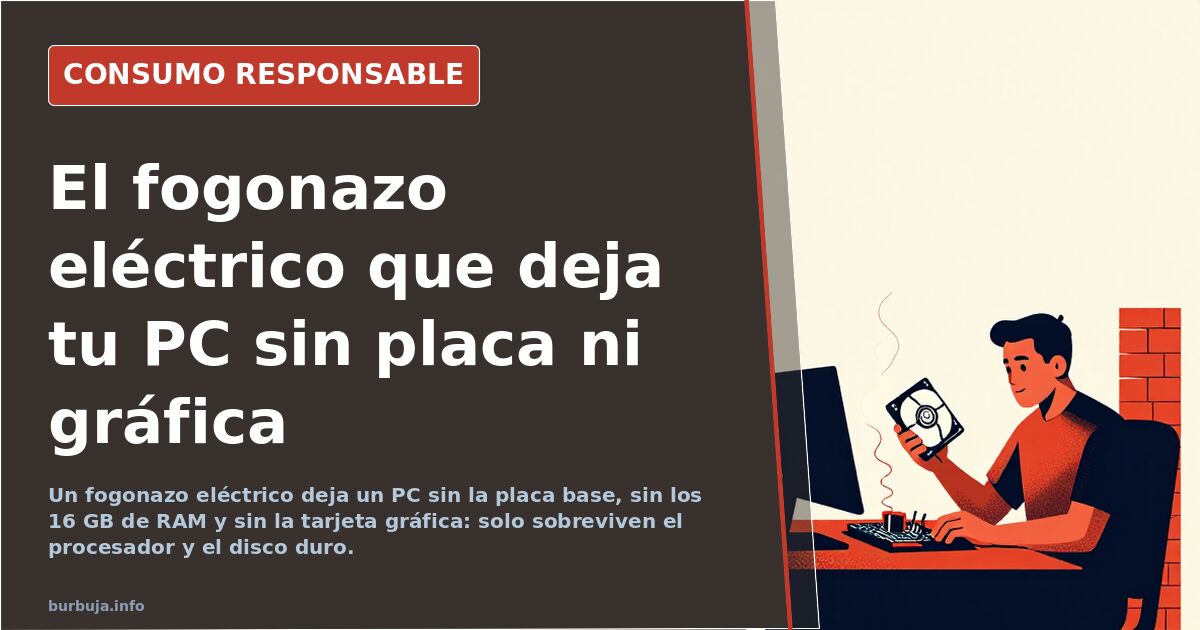
Electrical Surge Wipes Out Motherboard, RAM, and Graphics Card, Only Saving Processor
A surge, a scare, and suddenly a computer that won't turn on. The cost of that electrical episode—involuntary, according to the account of the person who experienced it—didn't stop at just one component: it took down the motherboard, the 16 GB of RAM spread across two modules, and a Gigabyte GTX 1050 graphics card. Only the processor and the hard drive survived. The diagnosis became the real headache: the question wasn't what to buy, but what exactly had broken.
What Motherboards Are Compatible with an i5 6400
The first question was basic: do you need to replace everything, or is changing one part enough? The technical answer points to the LGA 1151 socket, the slot that fits an Intel Core i5 6400. In the thread, a used ASUS H110M-D for 25 euros was suggested, found in Murcia, although the person seeking help immediately rejected buying used electronics on Wallapop; the motherboard they ended up using was another used one bought on AliExpress for about 30 euros. A piece of advice from the participants that emerged from this episode is repeated: check RAM and CPU compatibility before paying, not when the box is already open on the table.
How to Know Which Component Broke Without Overspending
The method proposed in the thread was pure elimination: disconnect everything, leave only the CPU in its socket, try to boot, and reconnect components one by one. The motherboard's debug LEDs, according to the advice received, act as a thermometer: if one lights up, there's a sign of life, and you can proceed from there. The CMOS battery came under scrutiny when a homemade voltmeter showed a reading that fluctuated between 2.12 and 2.98 volts, a sign of a depleted battery. With the jumper trick on the power connector, you can check if the power supply is responding. The verdict came by elimination: the purchased motherboard worked, but the memory had perished.
The Real Cost: What Survives an Electrical Surge
The damage assessment is disheartening. Of the two modules that totaled 16 GB, none survived; the system only booted again when a single 4 GB module from a drawer was plugged in, with the slowness that implies for anyone working with multiple tabs open. The graphics card also showed no signs of life, and along the way, the VGA-DVI adapter and the router, which stopped providing wired internet, also failed. A single electrical incident took down the motherboard, RAM, graphics card, and peripherals.
Second-Hand: The Cheap Route and Its Pitfalls
With a tight budget, second-hand options gain traction. Instead of repairing part by part, the option of a complete used system appears: one participant mentions finding a computer with an i7 and 32 GB of RAM for under 400 euros. The most common strategy is to reuse the healthy components from the old computer and sell them to finance a new one, keeping the hard drive for secondary storage. The downside is distrust: some people directly avoid Wallapop for certain components, antiestéticaring they'll buy scrap metal with no warranty.
In the end, the computer is back up and running with 4 GB of RAM—a quarter of what it had—and the task is to find compatible memory without breaking the bank. Between accepting these limitations and risking money on parts of dubious origin, where is the point at which repairing stops making sense and it's better to scrap the entire computer?
A surge, a scare, and suddenly a computer that won't turn on. The cost of that electrical episode—involuntary, according to the account of the person who experienced it—didn't stop at just one component: it took down the motherboard, the 16 GB of RAM spread across two modules, and a Gigabyte GTX 1050 graphics card. Only the processor and the hard drive survived. The diagnosis became the real headache: the question wasn't what to buy, but what exactly had broken.
What Motherboards Are Compatible with an i5 6400
The first question was basic: do you need to replace everything, or is changing one part enough? The technical answer points to the LGA 1151 socket, the slot that fits an Intel Core i5 6400. In the thread, a used ASUS H110M-D for 25 euros was suggested, found in Murcia, although the person seeking help immediately rejected buying used electronics on Wallapop; the motherboard they ended up using was another used one bought on AliExpress for about 30 euros. A piece of advice from the participants that emerged from this episode is repeated: check RAM and CPU compatibility before paying, not when the box is already open on the table.
How to Know Which Component Broke Without Overspending
The method proposed in the thread was pure elimination: disconnect everything, leave only the CPU in its socket, try to boot, and reconnect components one by one. The motherboard's debug LEDs, according to the advice received, act as a thermometer: if one lights up, there's a sign of life, and you can proceed from there. The CMOS battery came under scrutiny when a homemade voltmeter showed a reading that fluctuated between 2.12 and 2.98 volts, a sign of a depleted battery. With the jumper trick on the power connector, you can check if the power supply is responding. The verdict came by elimination: the purchased motherboard worked, but the memory had perished.
The Real Cost: What Survives an Electrical Surge
The damage assessment is disheartening. Of the two modules that totaled 16 GB, none survived; the system only booted again when a single 4 GB module from a drawer was plugged in, with the slowness that implies for anyone working with multiple tabs open. The graphics card also showed no signs of life, and along the way, the VGA-DVI adapter and the router, which stopped providing wired internet, also failed. A single electrical incident took down the motherboard, RAM, graphics card, and peripherals.
Second-Hand: The Cheap Route and Its Pitfalls
With a tight budget, second-hand options gain traction. Instead of repairing part by part, the option of a complete used system appears: one participant mentions finding a computer with an i7 and 32 GB of RAM for under 400 euros. The most common strategy is to reuse the healthy components from the old computer and sell them to finance a new one, keeping the hard drive for secondary storage. The downside is distrust: some people directly avoid Wallapop for certain components, antiestéticaring they'll buy scrap metal with no warranty.
In the end, the computer is back up and running with 4 GB of RAM—a quarter of what it had—and the task is to find compatible memory without breaking the bank. Between accepting these limitations and risking money on parts of dubious origin, where is the point at which repairing stops making sense and it's better to scrap the entire computer?
Summary of a discussion on Burbuja.info - Foro de economía, actualidad y política., translated from Spanish and reviewed before publication. Read the full discussion (333 replies).
More summaries
-
The €3-per-item duty that killed the Aliexpress bargain
Europe's €3-plus per-item duty and the end of discounts are killing Aliexpress bargains, even against domestic shipping and Amazon.
-
The €3.61 Fee Killing AliExpress Purchases
The €3.61 per-category tariff has inflated AliExpress purchases by up to 80%. Consumers are stopping buys, and revenue is falling. Does it actually protect...
-
Wallapop requires power of attorney to Mangopay to use its wallet
Wallapop requires granting Mangopay power of attorney and renewing every 180 days to move wallet money. No signing all four conditions, no payout.
-
AliExpress: the €3.63 fee that turns €10 into €20
The €3 fee on Chinese parcels is charged at €3.63 per item and doubles €10 orders. Shein already admits it will raise prices to offset it
-
The four breakfasts no Spanish bar serves
Oats, wholemeal bread, hummus and peanut butter: four foods Spanish bars don't serve, against the tradition of toast and Spanish tortilla.
-
Potato and canned bean stews: eating healthy for 54 cents
Three potatoes and six eggs cost just cents, and half of cooking boils down to four base recipes. Potato stews, broth and a pressure cooker for the week