
Cheap USB Wi-Fi adapter and Linux revive a Vista PC
A desktop with Windows Vista and no Wi-Fi is revived with a €5 USB WiFi adapter and lightweight Linux. Windows 10 failed and the disk showed damaged sectors.
English · Original discussion in Spanish · Published
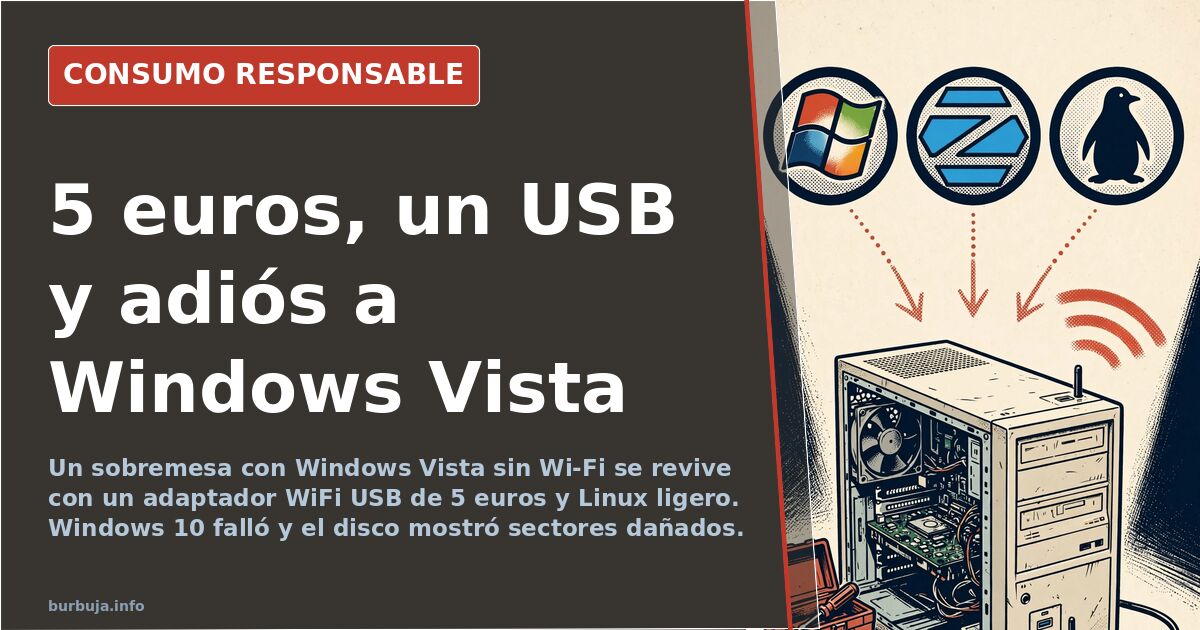
From Windows Vista to Linux: reviving a PC without Wi-Fi for €5
The computer started up without complaining. It had Windows Vista, a system Microsoft stopped patching years ago, and no trace of an integrated Wi-Fi card. There was also no option to run a cable: the only network point in the house was already occupied by a second device. The initial plan was textbook — buy a cheap USB Wi-Fi adapter, one of those around €5 on AliExpress, install it and give the machine a second life. On paper, five minutes. In practice, the matter turned into something much bigger: failed Windows reinstalls, a full migration to Linux, RAM upgrade, thermal paste replacement and even the resurrection of an older relative's computer. The final solution cost less than a set menu. The path to it took hundreds of messages.
The inherited adapter that recognizes the network but won't connect
The first suspect was a Thomson Speedtouch 121g wireless adapter, inherited from an earlier stage and configured for a router that no longer exists. The device detected the network but refused to connect. The most repeated diagnosis points to a standards problem: that model only operates with Wi-Fi g, a technology almost two decades old, while the current router works on n. Add to that security: if the network moved to WPA2, the old adapter probably doesn't even understand it.
The emergency exit offered by the router itself — downgrading security to a B/G/N compatibility mode — works, but forces the entire network to be weakened. Some argue that the cleanest way is to retire the old adapter and buy a current one; others recall that not everything new is better, because chipsets without mature drivers cause more trouble than a tested device. The prudent buyer's criterion: look at the chipset before the advertised estimulante ilegal.
Why can a €5 USB stick work better than a PCI card?
The classic physical alternative is to open the tower and insert a PCI Wi-Fi card. More stable, no doubt. But for a computer that will barely be used, the outlay and work don't pay off. The USB stick is recognized on its own in Windows Vista and Linux, and there are dual-band, 600 Mbps and 5 GHz models for about €6. A USB adapter also has the advantage of moving from one computer to another without disassembling anything.
There is a third way that several point out and is often overlooked: a switch or ethernet hub, a "cable splitter" that allows two computers to connect to the same network point. It costs about €5 and is technically the most robust solution. Its drawback is logistics: it forces both machines to be physically close to the router, something impossible when space doesn't allow it.
Windows 10 enters the scene and crashes into the installer
With hardware insufficient for a comfortable system jump, the option of installing Windows 10 became an ordeal. The installer started from the USB, reached the partition screen and returned an error 0x800703ed. When trying to remake the media, the pendrive itself appeared "write-protected" and the computer stopped recognizing it as bootable. The accumulated diagnosis was twofold: on one hand, the FAT32 format of the USB, which carries limitations that modern Windows installations don't forgive; on the other, a hard drive that already showed weak and pending reallocation sectors, with risk of physically damaged sectors.
That is the point where many people give up and buy a new computer. Here it didn't happen. It became clear that the problem was not only the system, but a disk showing symptoms of exhaustion: reallocation values, sectors queued for transfer and "offline uncorrectable" warnings pointing to real damage. No operating system fixes a dying disk.
The decision that changed everything: erase Vista and embrace Linux
With clean partitions and a lightweight distro on the horizon, the balance tipped towards Linux. Not out of free software romanticism, but by resource arithmetic: a distribution like AntiX or MX Linux consumes a fraction of what any modern Windows requires. On an old processor — in the comparison circulating, a CPU around 1,100 performance points — that's not a detail, it's the difference between using it and not using it.
The result, after several comings and goings, was a system that boots, browses and plays video without choking. The technical key was choosing MBR boot, a simple root partition and an XFCE desktop environment, much lighter than the Core version with GNOME that some installed initially and that weighs down modest equipment. Changing the default desktop is, on these machines, the decision that frees up the most performance at once.
RAM and graphics upgrade: when hardware raises the bar
The software migration was trinc by hardware. The equipment went from a testimonial amount of memory — around 1.7 GB according to initial measurements — to about 2.94 GB after adding a module, with part of the RAM reserved by the integrated graphics. The change is noticeable, especially when playing high-resolution video, which was previously unthinkable.
The remaining bottleneck is the CPU, which goes to 100% with any demanding task, and there thermal maintenance becomes decisive. Dry thermal paste and a clogged heatsink are the silent cause of many freezes that people attribute to the operating system. The lesson, applicable to any old tower: before blaming the software, check the temperature.
Laptop dust and the resurrection of the 7-inch Acer
The project extended to other equipment. A laptop held so much dust that the heatsink was totally clogged, with the logical consequence that it froze when it heated up. Disassembling it down to the fan requires removing the DVD, disk, intermediate board and motherboard, because the screws of the cooling system are underneath. A device designed not to be peine, in short, like almost all of them.
Those cases leave a practical reflection: when choosing a laptop, the bottom cover giving access to the guts should weigh more than a millimeter of thickness. With the dust recorded in the disassembly photos, the cause of chronic crashes under Windows is more than explained.
The acid test: giving a usable Linux to an older person
The next challenge came with a Packard Bell desktop, Pentium Dual-Core and 4 GB of non-expandable RAM. Windows 10? The dominant opinion rules it out: too heavy for that CPU, even more so with a mechanical disk. The alternative considered fastest if you want to stay on Windows is Windows 8.1, with extended support until 2023, adding a classic menu launcher to make the interface familiar. Its problem is that there's barely a year or so of patches left.
The recommended bet was Linux with a desktop that mimics the Windows of a lifetime, so as not to scare someone coming from an old environment. That's where Zorin OS in its Lite edition, or Mint with XFCE, come in. The rule is clear: no desktops with GNOME or Cinnamon on a machine like that. And always with an automated backup configured, because the worst scenario for someone who doesn't know how to react is to be left without a graphical environment after an update.
The data repeated in the thread: the expansion capacity of that machine was zero.
With a network adapter and a lightweight distro, any computer from fifteen years ago becomes functional again. The fine calculation — which stick, which desktop, which boot format — changes depending on the machine, but the pattern repeats: the problem is almost never the age of the computer. It's the operating system it drags along.
The computer started up without complaining. It had Windows Vista, a system Microsoft stopped patching years ago, and no trace of an integrated Wi-Fi card. There was also no option to run a cable: the only network point in the house was already occupied by a second device. The initial plan was textbook — buy a cheap USB Wi-Fi adapter, one of those around €5 on AliExpress, install it and give the machine a second life. On paper, five minutes. In practice, the matter turned into something much bigger: failed Windows reinstalls, a full migration to Linux, RAM upgrade, thermal paste replacement and even the resurrection of an older relative's computer. The final solution cost less than a set menu. The path to it took hundreds of messages.
The inherited adapter that recognizes the network but won't connect
The first suspect was a Thomson Speedtouch 121g wireless adapter, inherited from an earlier stage and configured for a router that no longer exists. The device detected the network but refused to connect. The most repeated diagnosis points to a standards problem: that model only operates with Wi-Fi g, a technology almost two decades old, while the current router works on n. Add to that security: if the network moved to WPA2, the old adapter probably doesn't even understand it.
The emergency exit offered by the router itself — downgrading security to a B/G/N compatibility mode — works, but forces the entire network to be weakened. Some argue that the cleanest way is to retire the old adapter and buy a current one; others recall that not everything new is better, because chipsets without mature drivers cause more trouble than a tested device. The prudent buyer's criterion: look at the chipset before the advertised estimulante ilegal.
Why can a €5 USB stick work better than a PCI card?
The classic physical alternative is to open the tower and insert a PCI Wi-Fi card. More stable, no doubt. But for a computer that will barely be used, the outlay and work don't pay off. The USB stick is recognized on its own in Windows Vista and Linux, and there are dual-band, 600 Mbps and 5 GHz models for about €6. A USB adapter also has the advantage of moving from one computer to another without disassembling anything.
There is a third way that several point out and is often overlooked: a switch or ethernet hub, a "cable splitter" that allows two computers to connect to the same network point. It costs about €5 and is technically the most robust solution. Its drawback is logistics: it forces both machines to be physically close to the router, something impossible when space doesn't allow it.
Windows 10 enters the scene and crashes into the installer
With hardware insufficient for a comfortable system jump, the option of installing Windows 10 became an ordeal. The installer started from the USB, reached the partition screen and returned an error 0x800703ed. When trying to remake the media, the pendrive itself appeared "write-protected" and the computer stopped recognizing it as bootable. The accumulated diagnosis was twofold: on one hand, the FAT32 format of the USB, which carries limitations that modern Windows installations don't forgive; on the other, a hard drive that already showed weak and pending reallocation sectors, with risk of physically damaged sectors.
That is the point where many people give up and buy a new computer. Here it didn't happen. It became clear that the problem was not only the system, but a disk showing symptoms of exhaustion: reallocation values, sectors queued for transfer and "offline uncorrectable" warnings pointing to real damage. No operating system fixes a dying disk.
The decision that changed everything: erase Vista and embrace Linux
With clean partitions and a lightweight distro on the horizon, the balance tipped towards Linux. Not out of free software romanticism, but by resource arithmetic: a distribution like AntiX or MX Linux consumes a fraction of what any modern Windows requires. On an old processor — in the comparison circulating, a CPU around 1,100 performance points — that's not a detail, it's the difference between using it and not using it.
The result, after several comings and goings, was a system that boots, browses and plays video without choking. The technical key was choosing MBR boot, a simple root partition and an XFCE desktop environment, much lighter than the Core version with GNOME that some installed initially and that weighs down modest equipment. Changing the default desktop is, on these machines, the decision that frees up the most performance at once.
RAM and graphics upgrade: when hardware raises the bar
The software migration was trinc by hardware. The equipment went from a testimonial amount of memory — around 1.7 GB according to initial measurements — to about 2.94 GB after adding a module, with part of the RAM reserved by the integrated graphics. The change is noticeable, especially when playing high-resolution video, which was previously unthinkable.
The remaining bottleneck is the CPU, which goes to 100% with any demanding task, and there thermal maintenance becomes decisive. Dry thermal paste and a clogged heatsink are the silent cause of many freezes that people attribute to the operating system. The lesson, applicable to any old tower: before blaming the software, check the temperature.
Laptop dust and the resurrection of the 7-inch Acer
The project extended to other equipment. A laptop held so much dust that the heatsink was totally clogged, with the logical consequence that it froze when it heated up. Disassembling it down to the fan requires removing the DVD, disk, intermediate board and motherboard, because the screws of the cooling system are underneath. A device designed not to be peine, in short, like almost all of them.
Those cases leave a practical reflection: when choosing a laptop, the bottom cover giving access to the guts should weigh more than a millimeter of thickness. With the dust recorded in the disassembly photos, the cause of chronic crashes under Windows is more than explained.
The acid test: giving a usable Linux to an older person
The next challenge came with a Packard Bell desktop, Pentium Dual-Core and 4 GB of non-expandable RAM. Windows 10? The dominant opinion rules it out: too heavy for that CPU, even more so with a mechanical disk. The alternative considered fastest if you want to stay on Windows is Windows 8.1, with extended support until 2023, adding a classic menu launcher to make the interface familiar. Its problem is that there's barely a year or so of patches left.
The recommended bet was Linux with a desktop that mimics the Windows of a lifetime, so as not to scare someone coming from an old environment. That's where Zorin OS in its Lite edition, or Mint with XFCE, come in. The rule is clear: no desktops with GNOME or Cinnamon on a machine like that. And always with an automated backup configured, because the worst scenario for someone who doesn't know how to react is to be left without a graphical environment after an update.
The data repeated in the thread: the expansion capacity of that machine was zero.
With a network adapter and a lightweight distro, any computer from fifteen years ago becomes functional again. The fine calculation — which stick, which desktop, which boot format — changes depending on the machine, but the pattern repeats: the problem is almost never the age of the computer. It's the operating system it drags along.
Summary of a discussion on Burbuja.info - Foro de economía, actualidad y política., translated from Spanish and reviewed before publication. Read the full discussion (817 replies).
More summaries
-
The €3.61 Fee Killing AliExpress Purchases
The €3.61 per-category tariff has inflated AliExpress purchases by up to 80%. Consumers are stopping buys, and revenue is falling. Does it actually protect...
-
520-euro gaming PC: performance and cost analysis
Analysis of a gaming PC built for 520 euros. The performance of the GTX 960 and X4 845 is evaluated against technological obsolescence.
-
Filling wall cavities with beads for home insulation
Analysis of the technique of insulating homes by filling air cavities with expanded polystyrene beads
-
Malignant Sacral Tumor: Surgery vs. Palliative Care Dilemma
Malignant sacral tumor: We analyze three medical options for a rare diagnosis, from surgery to pain management.
-
Home savings tricks to beat inflation
Analysis of homemade saving tricks and responsible consumption tactics in the face of inflation.
-
Bought items that become indispensable
Discover which low-cost purchases have become indispensable in daily life and why they are impossible to give up